SmartOBD user guide: connect the adapter and read fault codes
🌍 Langue · Language · Sprache · Lingua
Follow these steps in order: in a few minutes your SmartOBD adapter will be connected to your phone, and you’ll be able to read and clear your vehicle’s fault codes.
🎬 Full video tutorial
1) Download the app
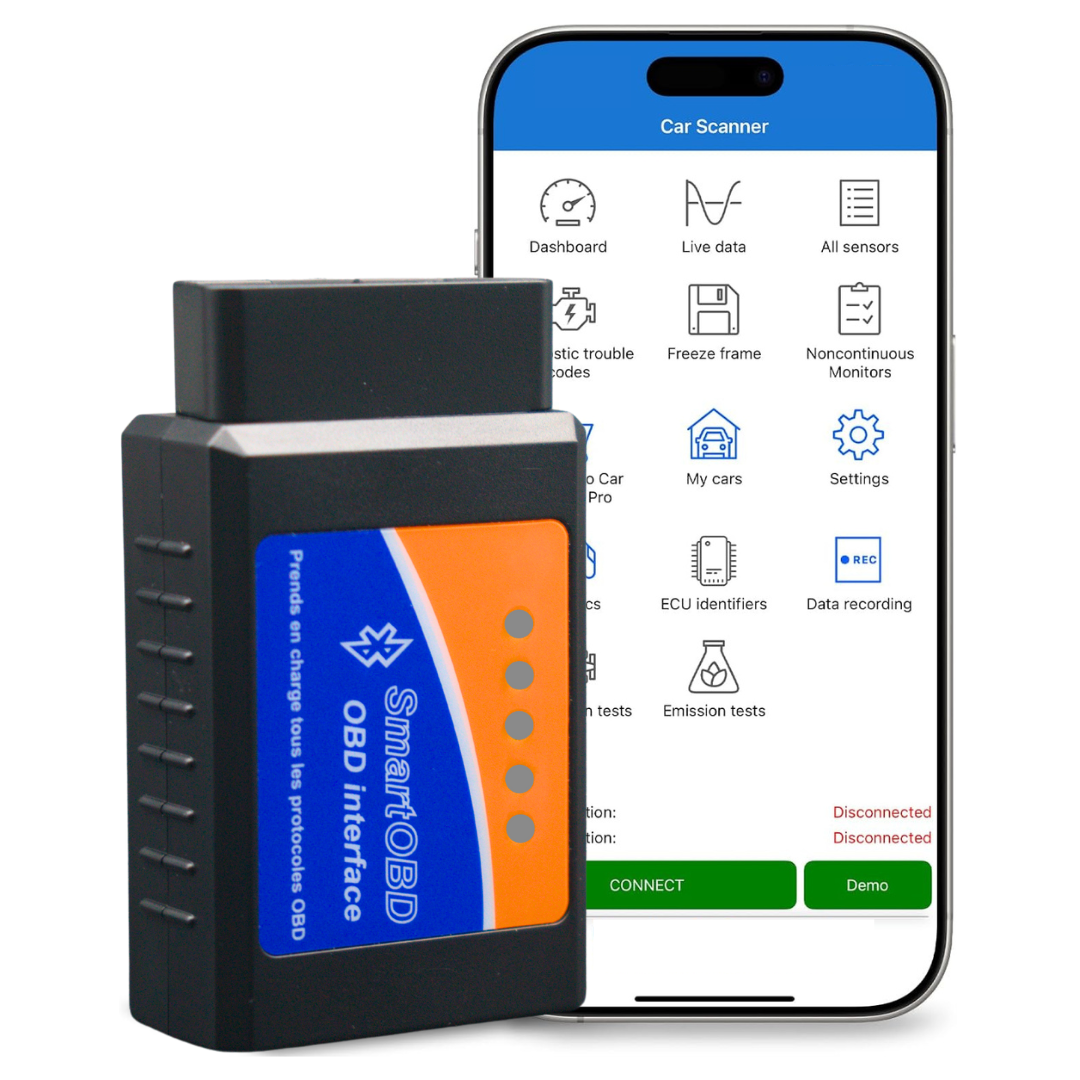
We recommend the free Car Scanner ELM app, available on iPhone and Android.
2) Plug in the SmartOBD adapter
Plug the adapter into your vehicle’s OBD-II port (usually under the steering wheel or near the pedals).
A first red LED lights up: this shows the adapter is powered on.
3) Turn on the ignition
Turn on the vehicle’s ignition. You don’t need to start the engine.
4) Turn on your phone's Bluetooth
Simply turn on Bluetooth in your phone’s settings.
5) Open Car Scanner
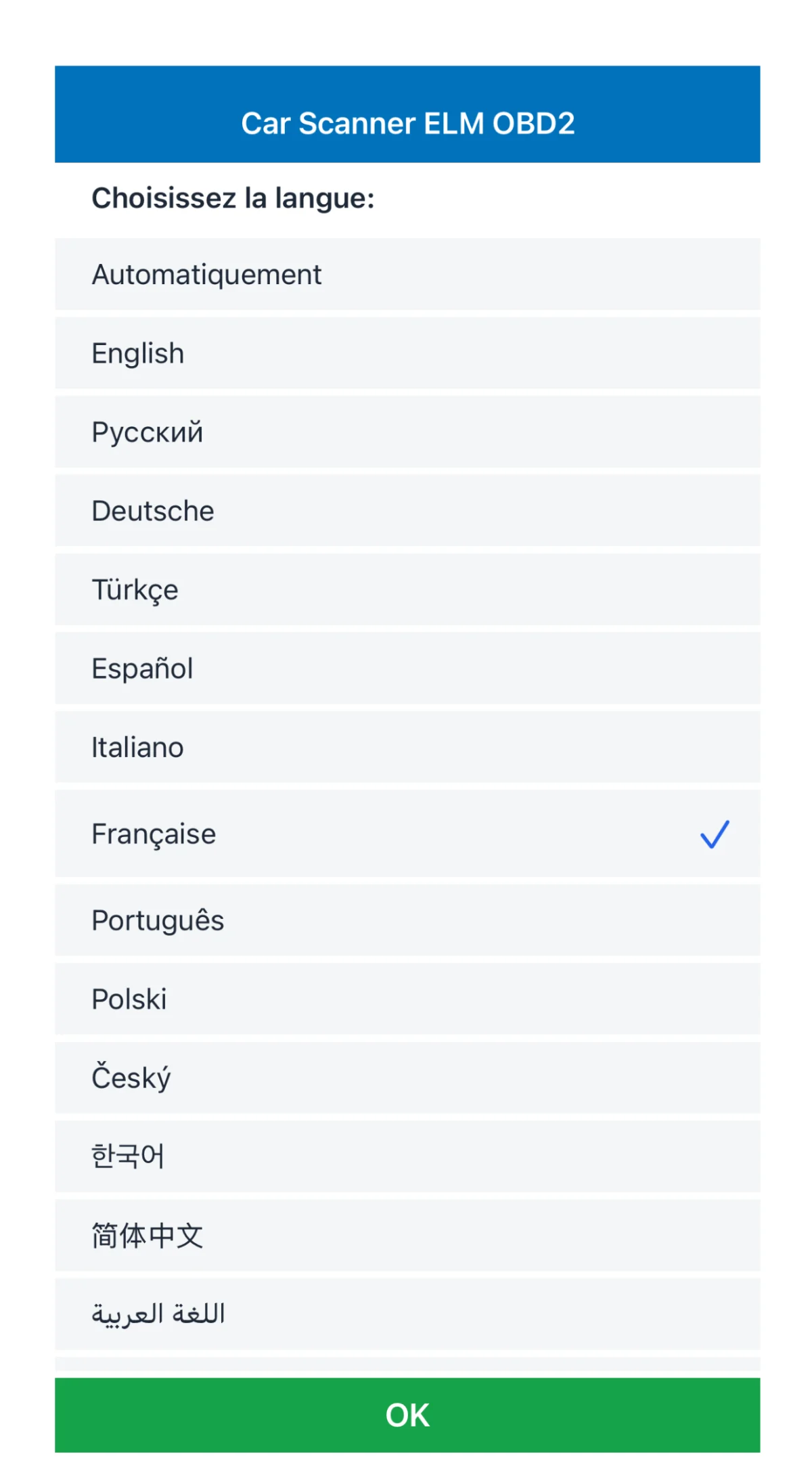
The first time you open it, select your language, then tap OK.

6) Select your vehicle's make
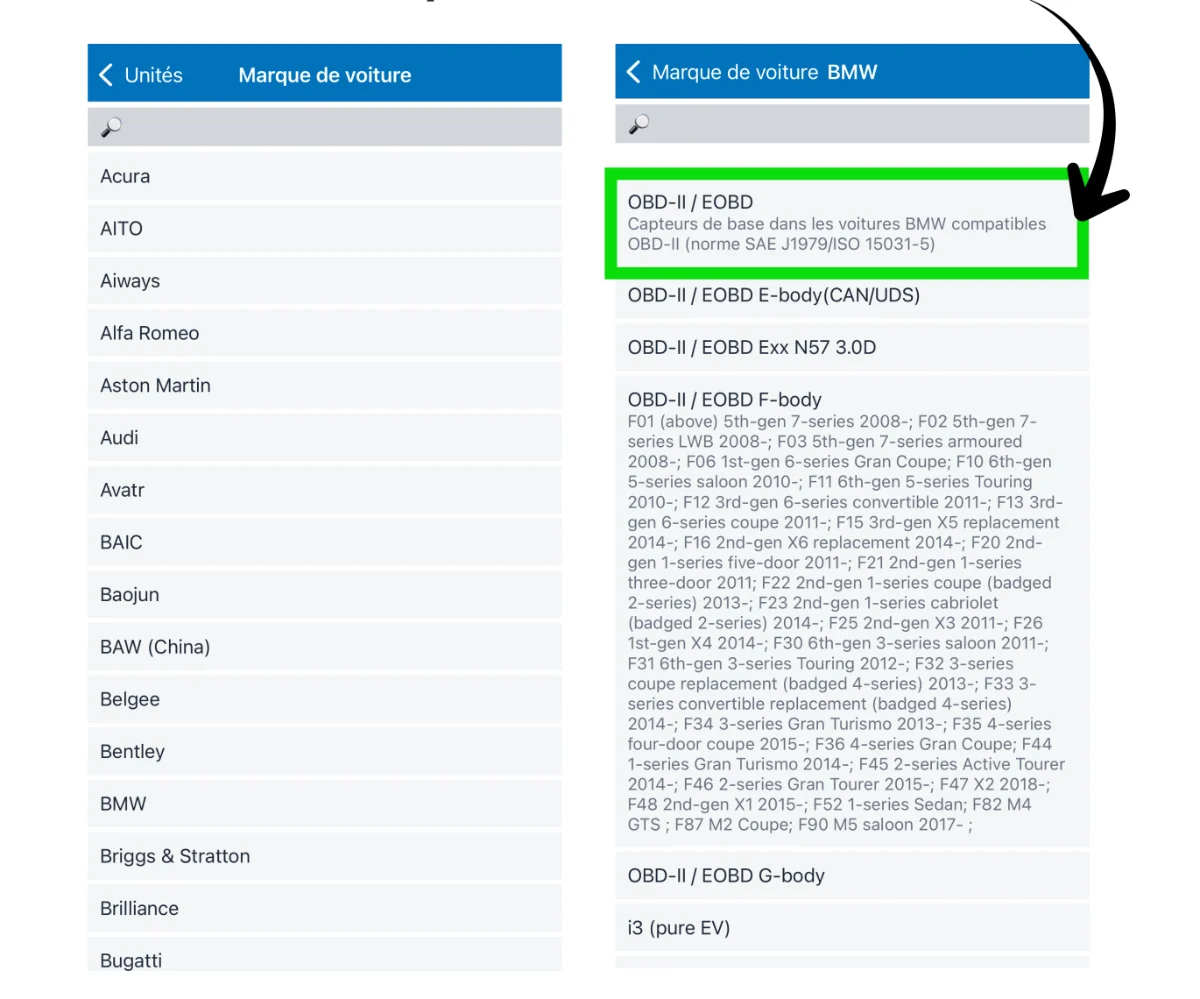
Choose your car’s make, then select the OBD-II / EOBD connection profile (the first one in the list).

7) Tap “Settings”
On the home screen, tap Settings (gear icon), then select “OBD ELM adapter”.

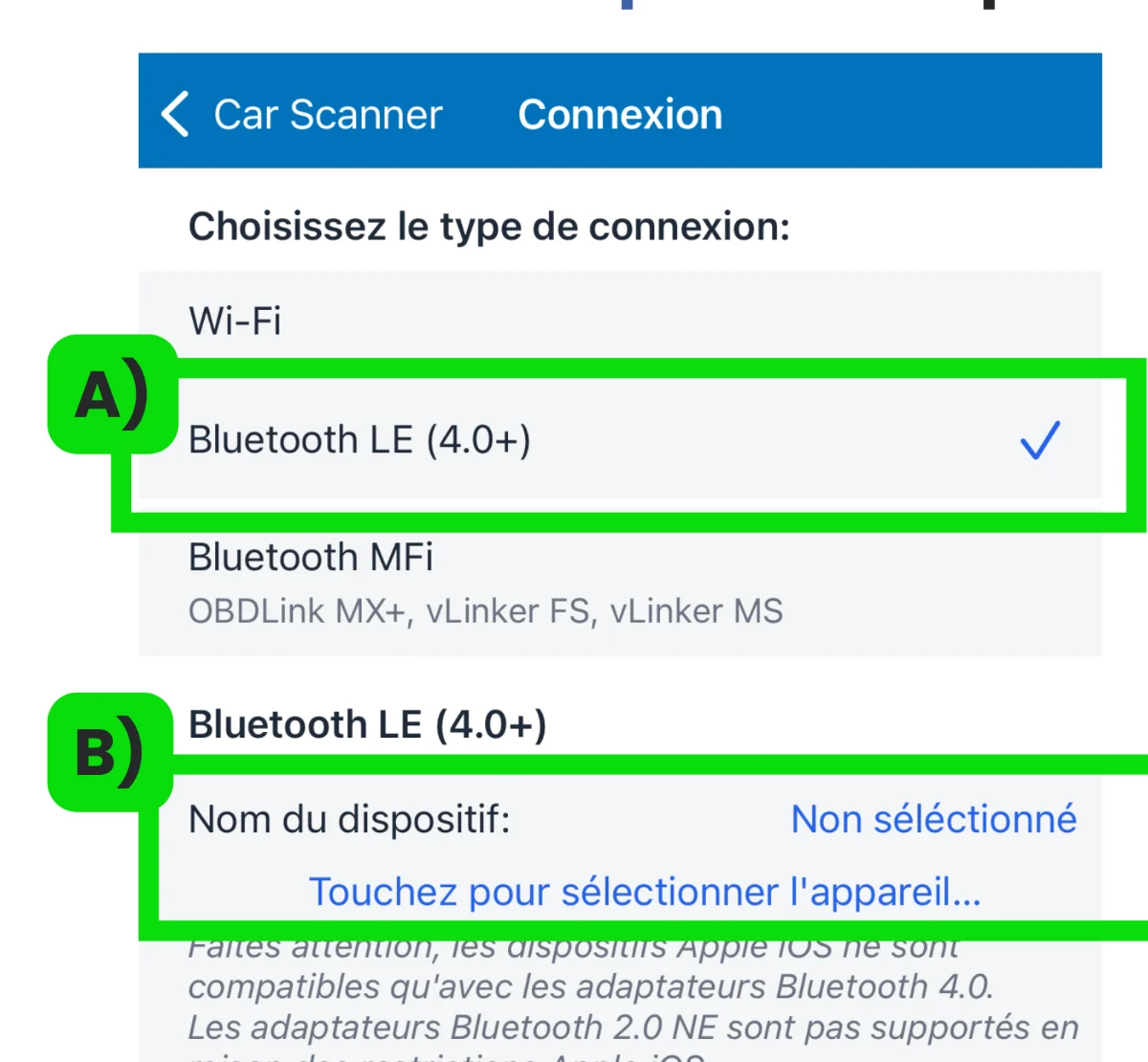
8) Choose the connection type
A) Select “Bluetooth LE (4.0+)”.
B) Just below, tap “Tap to select a device”.

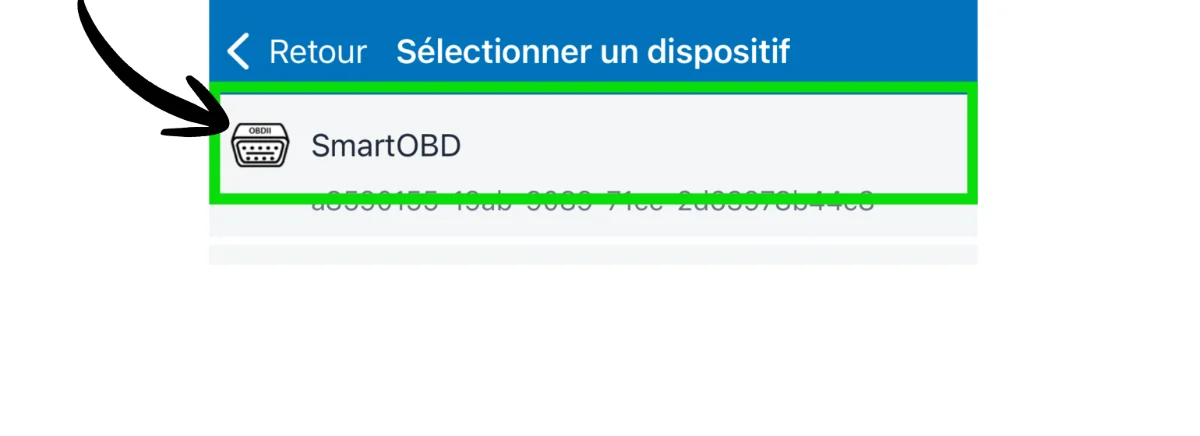
A window opens showing the available Bluetooth devices: tap SmartOBD.

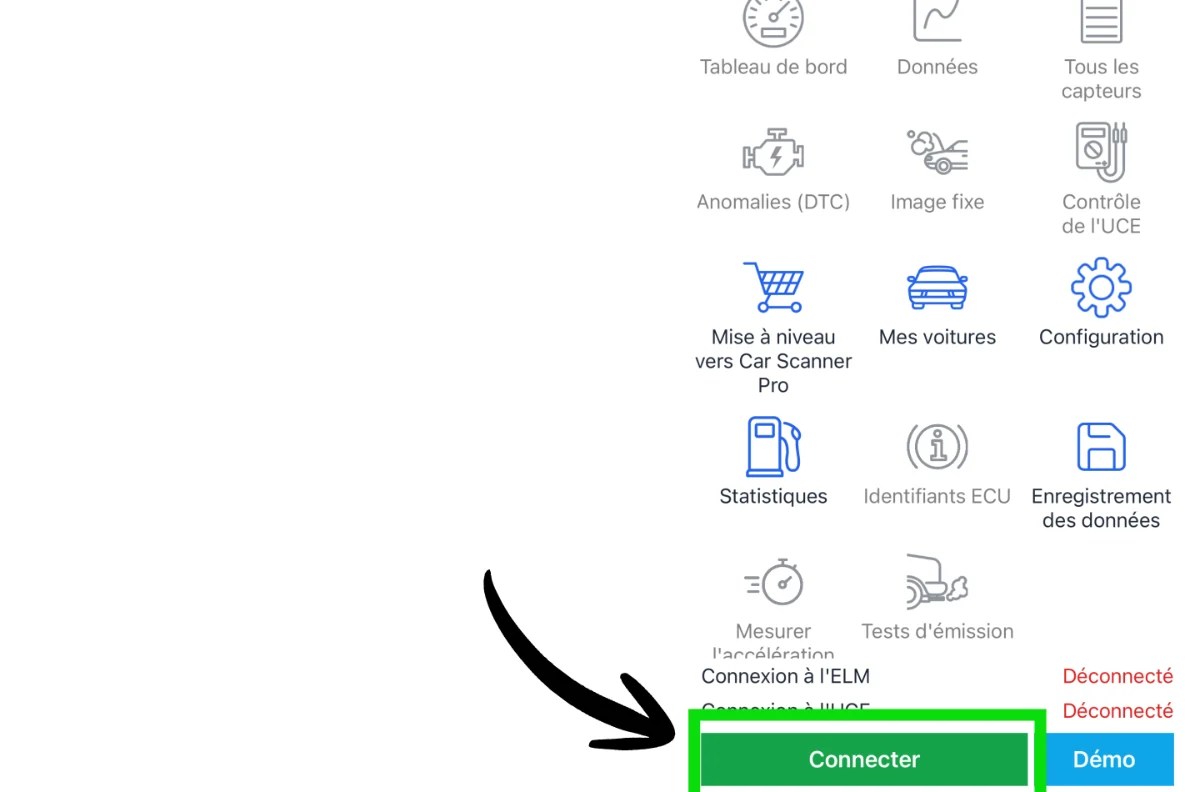
9) Go back to the home screen and tap “Connect”
The green Connect button is at the bottom of the home screen.

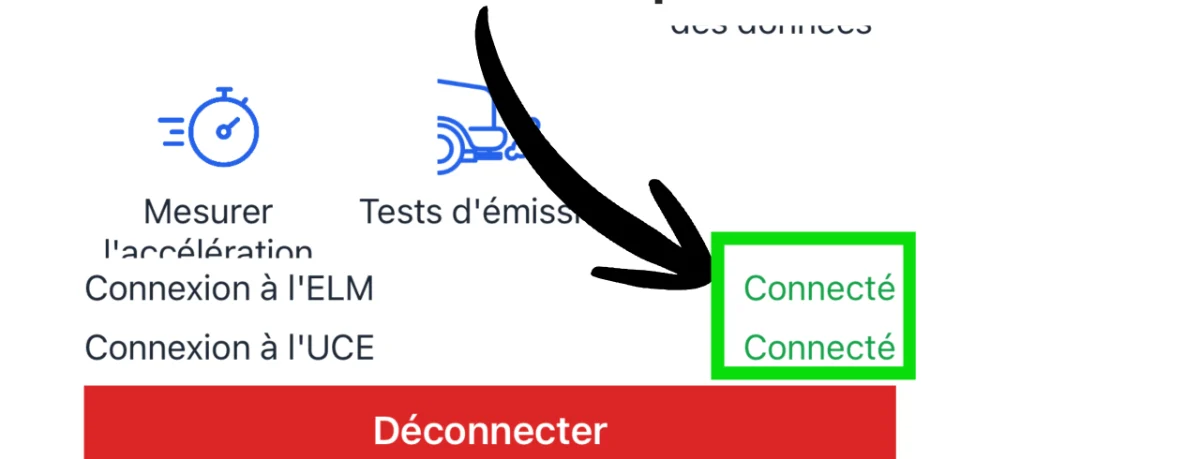
10) You're connected!
If both lines turn green with the label “Connected”, the adapter is properly connected to your phone and to the car.

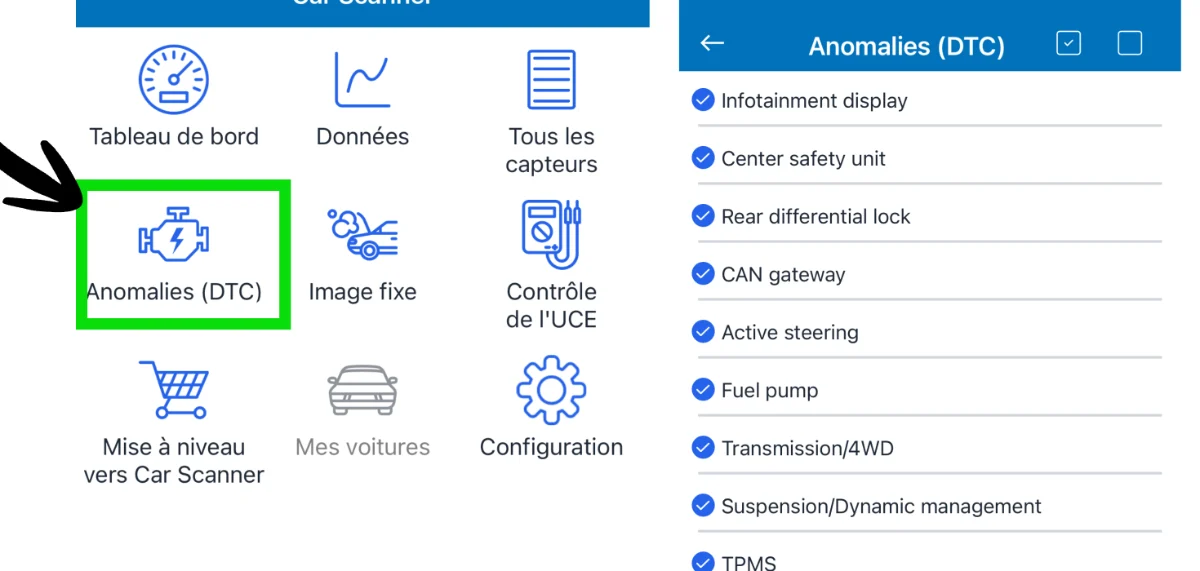
11) Run a diagnosis

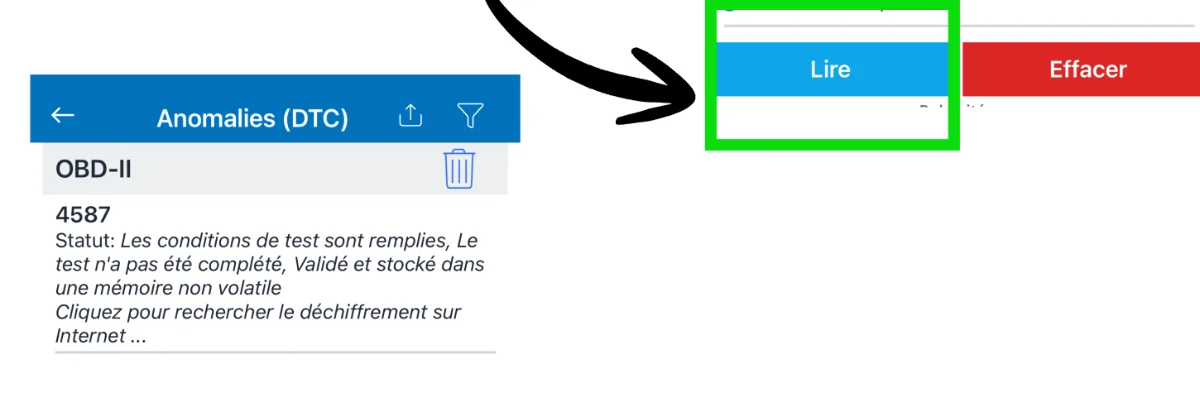
Go to “Trouble codes (DTC)”, then tap “Read” to start the diagnosis.
Faults appear with a code such as PXXXX or XXXX.

12) Clear the faults
Tap the “Clear” button, then “Clear only found DTCs”.
Is your check engine light on? Once the fault is cleared:
- Disconnect the adapter in the app
- Turn off the vehicle’s ignition
- Remove the adapter from the OBD port
- Start the vehicle
❓ FAQ
I cleared a fault code but the light comes back on.
The fault can come back right away or after a few kilometres if the repair hasn’t been done.
I want to use the adapter on another vehicle.
Go to “Settings”, then “Connection profile”, select the manufacturer, then the 1st profile “OBD-II / EOBD”.
I can’t connect to the ECU.
The connection profile is probably not the right one: some vehicles need a profile other than OBD-II / EOBD. Message us on WhatsApp at +33 6 23 70 73 72 and we’ll help you choose the right profile.
I have warning lights on but no fault is detected.
Some faults can’t be detected with an OBD-II adapter: you need a more advanced diagnostic tool (ABS, airbag, ESP, oil service, maintenance, injector coding, DPF regeneration…). This adapter is mainly used to diagnose and clear engine faults.